
Authenticated Recipients: Verify Who Views Your Secrets
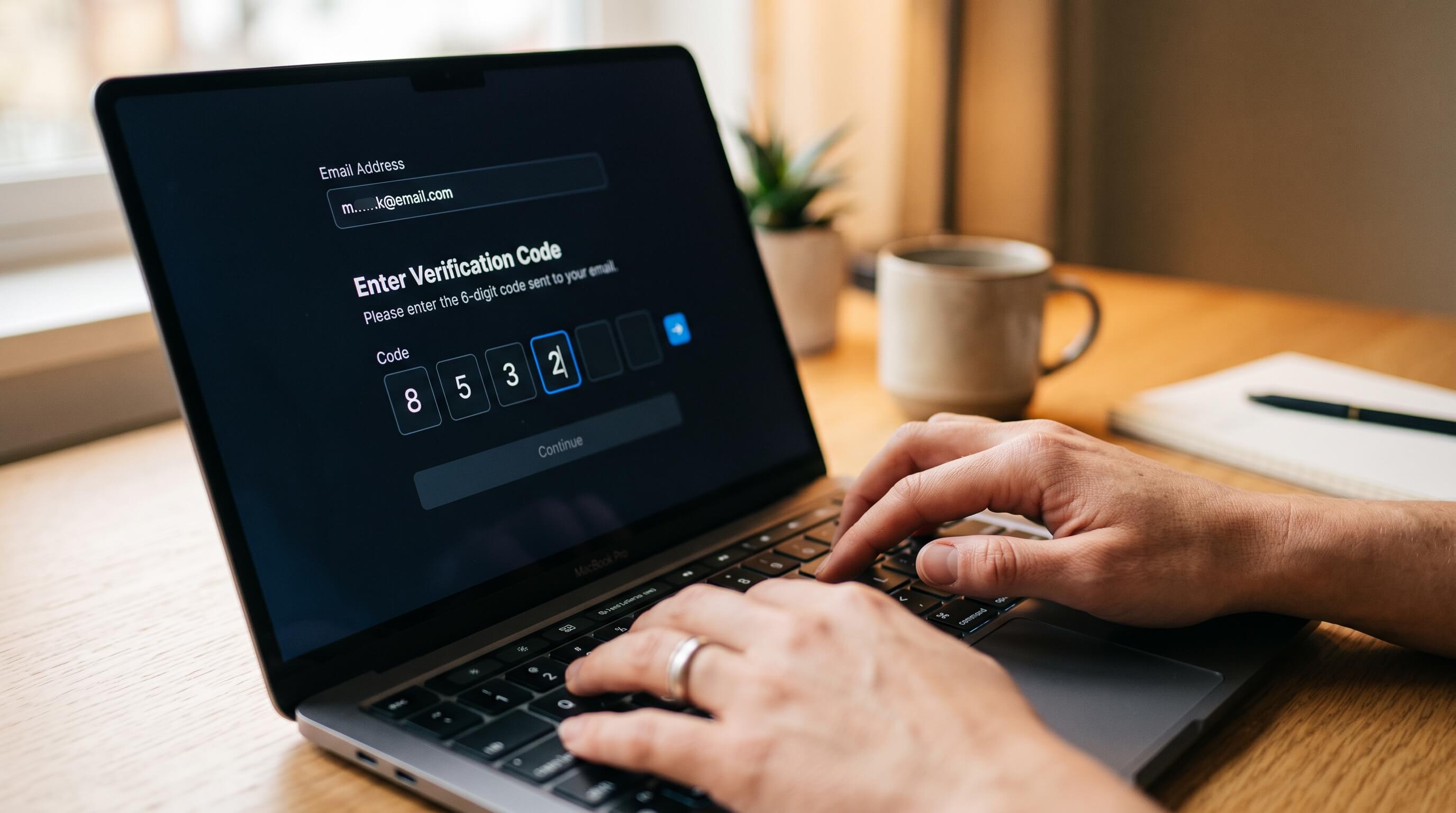
TL;DR: Password Pusher now supports Authenticated Recipients — email-based identity verification for pushes and requests. When enabled, recipients must enter their email and a 6-digit one-time code before the secret is revealed. The code is single-use, rate-limited, and hashed before storage. Available on pwpush.com for Premium, Pro, and Enterprise plans, with Self-Hosted Pro support coming in the next release.
The Gap Between Access Control and Identity Verification
Password Pusher has always offered two ways to restrict access to a secret link: view limits and passphrases. Both serve their purpose, but neither answers a more fundamental question — is the person opening this link actually the person I sent it to?
A passphrase is a shared secret. Anyone who has it can use it. It has to be communicated through a separate channel, and it can be forwarded just as easily as the link itself. View limits cap how many times a link can be opened, but they don’t distinguish between the intended recipient and someone who happened to get the forwarded link first.
Authenticated Recipients addresses this directly. Instead of proving you have a code, you prove you are the intended recipient — by demonstrating control of the email address the sender authorized.
How It Works
When you create a push using Auto-Dispatch (which emails the secret link to recipients on your behalf), a new option appears: Require Email Verification.
With this enabled, anyone who opens the secret link sees an email challenge before the payload is revealed:
- The recipient enters their email address.
- If the email matches the authorized recipient list, a 6-digit one-time code is sent.
- The recipient enters the code to unlock the secret.
- The code is single-use and expires quickly.
If the email doesn’t match the allowlist, the same interface is shown — but no code is sent. This is deliberate: no information leaks about who was supposed to receive the secret, and there’s no way to enumerate the recipient list by probing.
What This Means for Compliance
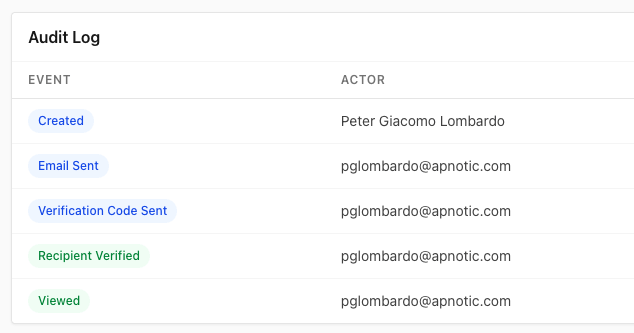
For organizations that need to demonstrate controlled delivery of sensitive information, the audit trail now includes identity verification events alongside view events. The difference matters: previously, audit logs could show that someone viewed a secret at a given time from a given IP. Now they can show that the viewer proved their identity before accessing the content.
This is relevant for security questionnaires, internal compliance policies, and any workflow where “prove it was delivered to the right person” is a requirement — not just “prove it was delivered.”
Stacking With Existing Controls
Authenticated Recipients integrates with the features you already use:
- Auto-Dispatch. The recipient list comes from the same emails you’re already sending to. The verification checkbox is a single additional option on the push creation form.
- Passphrases. Both controls can be active simultaneously. The recipient verifies their email and enters a passphrase. The flow handles each step in sequence.
- Requests. This works for credential requests too — when someone submits a response to your request, they verify their identity first.
- Policies. Account admins can set the default behavior, enforce verification on all pushes, or leave it as a per-push decision for individual users.
Security Implementation
A few details on how the verification is built:
| Aspect | Implementation |
|---|---|
| Code storage | Hashed before storage (not stored in plaintext) |
| Brute-force protection | Rate limiting on verification attempts |
| Replay prevention | Signed access cookies scoped to the verified session |
| View count integrity | Failed verification attempts do not burn view counts |
| Recipient enumeration | Non-matching emails see the same UX as matching ones |
Where This Might Not Be the Right Fit
Authenticated Recipients requires Auto-Dispatch recipients — the feature activates when you specify email addresses for automatic delivery. If you’re sharing a link manually (copying it from the preview page and pasting it into a chat message or your own email), there’s no recipient list to verify against. In that case, passphrases remain the access control mechanism.
The verification also depends on email delivery. If your recipient’s email is delayed or filtered to spam, they’ll need to wait for the code to arrive. For time-sensitive scenarios where the recipient is standing next to you, a passphrase is faster.
Availability
Authenticated Recipients is available now on pwpush.com for Premium, Pro, and Enterprise plans. It will be included in the next Self-Hosted Pro release.
This has been one of our most requested features — the original community request dates back to early 2024. I’m glad it’s here.
Peter Giacomo Lombardo Founder & Principal, Apnotic · Creators of Password Pusher